
Hello everyone,
At G-Integrator, we are committed to building tools that don’t just move data, but actually help you understand your business better. We are thrilled to share some significant updates we’ve rolled out to make your integration experience more powerful and reliable.
What’s New: Specialized Custom Reports
We have introduced a new “Reports” menu, giving you direct access to high-value custom reports designed to sharpen your financial oversight:
- Budget Vs Actual Report: Easily track your planned budget against actual expenses and revenues to identify variances and maintain strict financial discipline.
- Product Margin Report: Dive into the profitability of individual products or services to help you make data-driven decisions on pricing and inventory.
- Project Profitability Report: Measure the true financial success of specific projects by comparing dedicated costs directly against project revenues.
- The “Collections & Cash Flow” Dashboard (Aged Receivables): Gain better visibility into your outstanding invoices and manage your cash flow more effectively.
- Customer Profitability & Lifetime Value (LTV): Identify your most valuable clients and understand the long-term revenue impact of your customer relationships.
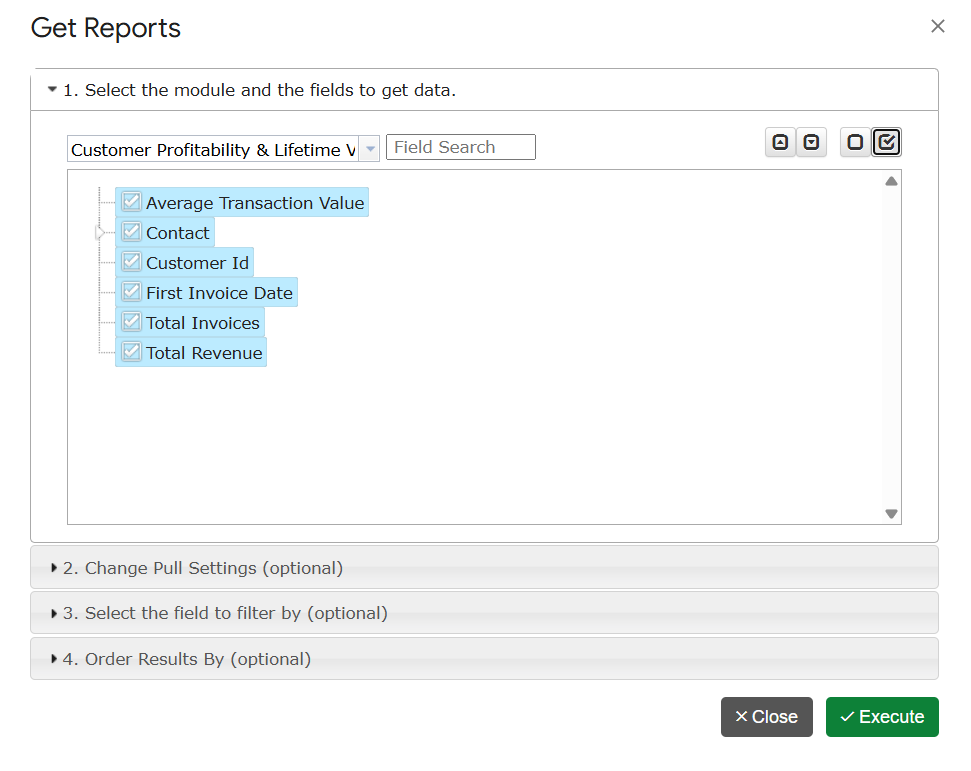
Stability & Performance Improvements
Beyond new features, our team has focused heavily on the mechanics of the application. We’ve implemented various performance optimizations and bug fixes to ensure smoother data syncing between Google Sheets and Zoho Books. Our goal is to provide a seamless, stable experience that you can rely on daily.
Advanced Automation: Workflows
For our Premium subscribers, we invite you to explore the “Workflows” functionality under the Automation menu. This feature serves as a smarter, more robust version of our standard autorefresh, designed to handle your data updates with even greater precision.
How to Get Started
- Accessing Reports: Simply open your G-Integrator sidebar and click the “Reports” menu to see the new options.
- Accessing this Update: You can find this information anytime via the Menu > About… section of the app.
- Need Help?: You can view our FAQ Page or Documentation at any time.
- Support: If you have questions about these updates, please reach out to us at support@g-integrator.com.
Your feedback drives every update we make. If you are enjoying these new features, please consider leaving us a review on the Google Marketplace. It helps our team immensely.
Thank you for your continued partnership.
Best regards,
The G-Integrator Team G-Integrator, LLC