
When Xero joined, we promised more of your stack would be covered. Today it’s the commerce side’s turn: Etsy joins the family.
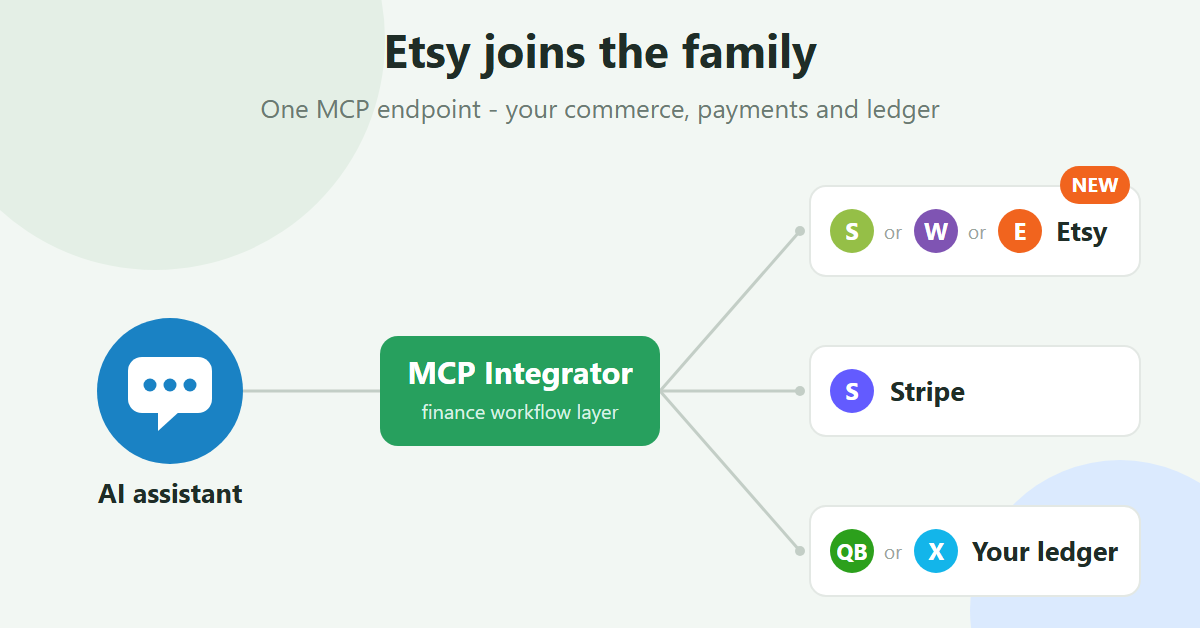
MCP Integrator now connects your AI assistant to your commerce platform — Shopify, WooCommerce or Etsy — plus Stripe and your choice of ledger, QuickBooks Online or Xero. One hosted MCP endpoint, the same purpose-built finance tools, and no change to how you work: you ask the question in plain language; the server coordinates the vendor lookups and returns structured evidence the AI can explain.
“Where is my Etsy deposit?”
Every Etsy seller knows the ritual: a deposit lands in the bank, and now you get to reverse-engineer which sales it covers, what Etsy kept in fees, and whether that refund from last week is in there. The numbers live in the Etsy Payments ledger; the story lives in your head.
Now you can just ask. Your assistant lists your deposits, picks the one you mean, and reconciles it line by line — sales, fees and refunds tied back to the receipts behind them, with matches and variances explained.
Built for how Etsy actually works
Etsy doesn’t look like other platforms, so the connector doesn’t pretend it does:
- A receipt is the order. Ask about
#3217554321and Order financials follows that receipt’s money — total, Etsy Payments transaction, any refunds. - Deposits are the payouts. Etsy has no first-class payout object; what hits your bank is a deposit, and the sales, fees and refunds between consecutive deposits are its lines. MCP Integrator models it exactly that way, so payout reconciliation works on Etsy the same as everywhere else.
- Date ranges just work. Etsy caps payment-ledger queries at 31 days per request; the connector transparently splits any range you ask for, so “show me this year’s deposits” is one question, not twelve.
Everything you already know works with Etsy
The finance workflow layer is platform-agnostic, so the whole toolset carries over unchanged:
- Customer 360 — look up a buyer by email and bring together their recent receipts and payment standing.
- Order financials — follow the money for an Etsy receipt across payments, fees and refunds.
- Payout reconciliation — compare an Etsy deposit against its sale, fee and refund ledger lines, with matches and variances explained, and a proposed balanced journal entry. Still propose-only by default.
- Run history & unresolved variances — pick up prior investigations instead of starting from scratch.
Approval-gated posting, unchanged
Once an Etsy deposit is reconciled, your assistant can request that it be posted to QuickBooks Online or Xero as a journal entry — and, exactly as before, nothing is ever written to your ledger without an explicit human approval. The post_journal tool opens the request; a person approves it via a one-time email link or the approve tool. Approvals are snapshot-exact and guarded against double-posting: retries, concurrent approvals and repeated clicks all resolve to a single ledger entry. See the approval-gate guide for the full flow.
Connecting Etsy takes a minute
- Open the workspace connect page and click Connect Etsy.
- Sign in on Etsy’s page and approve access. The server requests read-only scopes — your email, shop profile and transactions. It can never write to your shop, your listings or your prices.
- You’re redirected back with “Connected Etsy” — then ask your assistant to run
connections_statusand confirm every vendor reportsCONNECTED.
The step-by-step instructions live in the Connect your vendors guide.
Security, unchanged
- OAuth 2.1 for AI-client access — no credentials pasted into a chat. The Etsy connection itself uses OAuth 2.0 with PKCE.
- AES-256 encryption at rest for vendor tokens, HTTPS in transit.
- Workspace isolation keeps your vendor connections and finance data tenant-scoped.
Get started
Premium is available with monthly or annual billing and a 2-week free trial.
👉 Explore the product on the MCP Integrator page, follow the setup guide, or review pricing.
Same questions, same evidence, same human approval gate — now for your Etsy shop.