
When Etsy joined, we said more of your stack was on the way. Today it’s the payments side’s turn: PayPal joins the family.
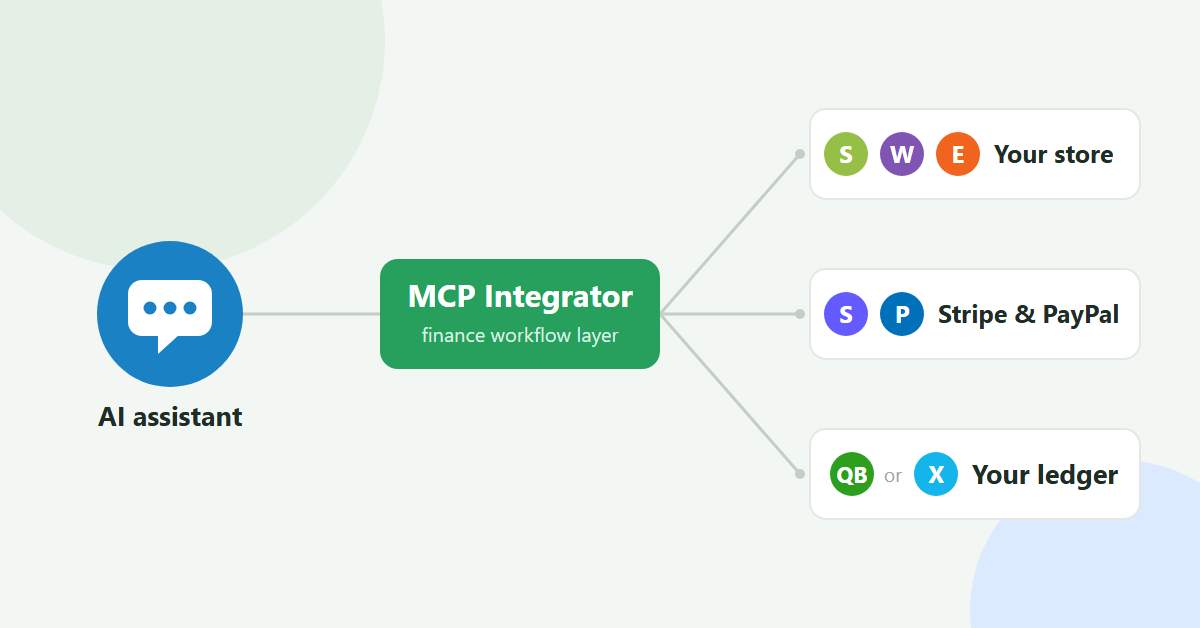
MCP Integrator now connects your AI assistant to your commerce platform — Shopify, WooCommerce or Etsy — your payment providers — Stripe and now PayPal — and your choice of ledger, QuickBooks Online or Xero. One hosted MCP endpoint, the same purpose-built finance tools, and no change to how you work: you ask the question in plain language; the server coordinates the vendor lookups and returns structured evidence the AI can explain.
“What’s in this PayPal withdrawal?”
If you take PayPal, you know the drill: a withdrawal lands in the bank, and now you get to work out which payments it covers, what PayPal kept in fees, and whether that refund from last week already came out of it. The numbers live in PayPal’s activity log; the story lives in your head.
Now you can just ask. Your assistant lists your withdrawals, picks the one you mean, and reconciles it line by line — payments, fees and refunds tied back to the orders behind them, with matches and variances explained.
Built for how PayPal actually works
PayPal doesn’t look like other payment providers, so the connector doesn’t pretend it does:
- Withdrawals are the payouts. PayPal has no first-class payout object; what hits your bank is a withdrawal, and it covers everything received since the previous one. MCP Integrator models it exactly that way, so
reconcile_payoutworks on PayPal the same as everywhere else. - Payments are charges. Your PayPal payments show up through the same
list_chargesand charge-lookup tools as Stripe — newest first, including payments not yet included in any withdrawal. - Date ranges just work. PayPal’s Transaction Search caps queries at 31 days per request; the connector transparently splits any range you ask for, so “show me this quarter’s withdrawals” is one question, not three.
Everything you already know works with PayPal
The finance workflow layer is platform-agnostic, so the toolset carries over unchanged:
- Live charge listing — list customer payments straight from PayPal, newest first, including ones no withdrawal has picked up yet.
- Charge lookup — read-only details of a single PayPal payment: amount, status, description and merchant context.
- Payout reconciliation — compare a PayPal bank withdrawal against the payments, fees and refunds it covers, with matches and variances explained, and a proposed balanced journal entry. Still propose-only by default.
- Run history & unresolved variances — pick up prior investigations instead of starting from scratch.
Approval-gated posting, unchanged
Once a PayPal withdrawal is reconciled, your assistant can request that it be posted to QuickBooks Online or Xero as a journal entry — and, exactly as before, nothing is ever written to your ledger without an explicit human approval. The post_journal tool opens the request; a person approves it via a one-time email link or the approve tool. Approvals are snapshot-exact and guarded against double-posting: retries, concurrent approvals and repeated clicks all resolve to a single ledger entry. See the approval-gate guide for the full flow.
Connecting PayPal takes a few minutes
PayPal links through your own REST app’s credentials — sign in with your PayPal business account:
- Open
developer.paypal.com/dashboard/applications/liveand create (or pick) a live REST app. - Under the app’s Features, make sure Transaction search is checked and saved — a newly enabled feature can take up to 9 hours to activate on PayPal’s side.
- Copy the app’s Client ID and Secret key into the PayPal form on the workspace connect page and click Save credentials. The pair is validated live against PayPal — including a Transaction Search probe — before it is stored encrypted.
Then ask your assistant to run connections_status and confirm every vendor reports CONNECTED. The step-by-step instructions live in the Connect your vendors guide.
Security, unchanged
- OAuth 2.1 for AI-client access — no credentials pasted into a chat. Your PayPal REST-app credentials go only into the connect page, never into the conversation.
- AES-256 encryption at rest for vendor credentials, HTTPS in transit.
- Workspace isolation keeps your vendor connections and finance data tenant-scoped.
Get started
Premium is available with monthly or annual billing and a 2-week free trial.
👉 Explore the product on the MCP Integrator page, follow the setup guide, or review pricing.
Same questions, same evidence, same human approval gate — now for your PayPal money.